Menu Integration
The MenuItemButton and MenuItemView hooks work as a pair to add a custom full-screen view to AMC with a corresponding button in the side menu drawer.
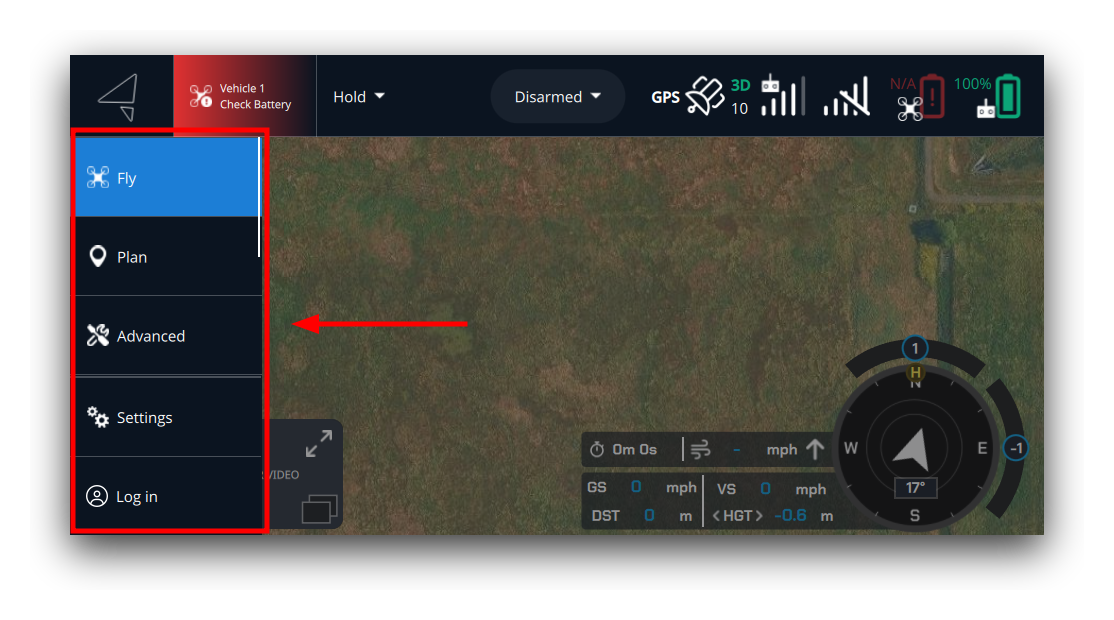
Naming convention
AMC pairs a button with a view by stripping the hook keyword from each filename (case-insensitive) and comparing the result:
| File | Hook stripped | Pairing key |
|---|---|---|
MyPluginMenuItemButton.qml |
menuitembutton |
MyPlugin |
MyPluginMenuItemView.qml |
menuitemview |
MyPlugin |
Same key = paired. A button without a matching view is standalone (e.g. a link button that opens a URL). An orphaned view with no matching button is ignored and a warning is logged.
A single plugin can contribute multiple button/view pairs by using distinct names:
src/
├── FooMenuItemButton.qml      ← pairs with FooMenuItemView.qml
├── FooMenuItemView.qml
├── BarMenuItemButton.qml      ← pairs with BarMenuItemView.qml
├── BarMenuItemView.qml
└── HelpMenuItemButton.qml     ← standalone (no matching view)
Step 1: Create the MenuItemButton
Use PluginMenuItemButton (from QGroundControl.Widgets) as the root element. It handles the drawer divider, active highlight, and navigation for you.
import QGroundControl.Widgets

PluginMenuItemButton {
    text: "My View"
    icon.source: Qt.resolvedUrl("../img/icon.svg")
}
Standalone buttons
For a button without a paired view, override onClicked:
import QGroundControl.Widgets

PluginMenuItemButton {
    text: "Get Help"
    icon.source: Qt.resolvedUrl("../img/help.svg")
    onClicked: {
        drawer.close()
        Qt.openUrlExternally("https://example.com/help")
    }
}
A standalone button is never highlighted as active.
PluginMenuItemButton reference
Set these on your button:
| Property | Type | Description |
|---|---|---|
text |
string | Button label |
icon.source |
url | Button icon |
Also inherits enabled, visible, iconColor, and all standard Button properties from CustomToolBarButton.
Step 2: Create the MenuItemView
The view is a plain QML Item that fills its parent.
import QtQuick
import QGroundControl.Controls
import QGroundControl.Palette
import QGroundControl.ScreenTools

Item {
    anchors.fill: parent

    Rectangle {
        anchors.centerIn: parent
        width: 400
        height: 300
        color: qgcPal.windowShade
        radius: ScreenTools.defaultFontPixelWidth

        QGCLabel {
            anchors.centerIn: parent
            text: "Custom full-screen view"
            font.pointSize: ScreenTools.largeFontPointSize
        }
    }
}
Complete working example
The NetFetch plugin implements a paired button and view:
See the full NetFetch example for the complete plugin including Data singleton and Settings.